Imagine being able to create a photo-realistic portrait, a fantasy world straight out of a novel, or a minimalist logo—all without touching Photoshop or hiring a designer. Sounds futuristic, right?
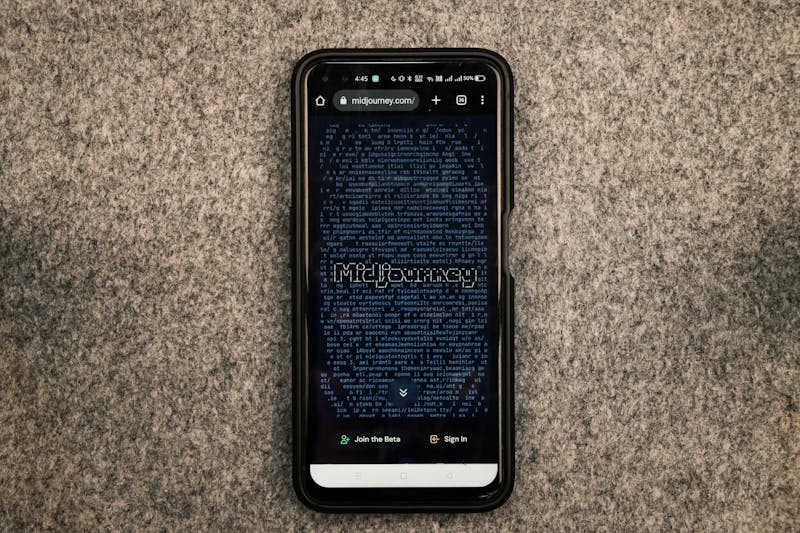
This is the reality with MidJourney, one of the most popular AI-powered image generation tools available today. Hosted on Discord, MidJourney has built a global creative community where people—from professional designers to complete beginners—can generate stunning visuals in seconds simply by describing them with words.
But MidJourney is more than just a fun playground. It’s a game-changer for marketing, design, entertainment, and education. Let’s dive into its features, use cases, and future potential.
🔹 Key Features of MidJourney
- Text-to-Image Creation
Type in a sentence like “A castle floating in the sky, cinematic lighting” and MidJourney will generate detailed images based on your description. - Multiple Art Styles
From ultra-realistic photography to cartoon, watercolor, cyberpunk, or oil painting—MidJourney adapts to any style you specify. - Parameter Controls
Users can tweak aspect ratio, lighting, detail level, and composition with simple commands (--ar 16:9,--q 2, etc.), giving more control over the final result. - Variations & Upscaling
Not happy with one image? Generate variations or upscale your favorite version into high-resolution for professional use. - Community Collaboration
Since MidJourney runs inside Discord, users can see others’ prompts, learn new techniques, and remix ideas—making it a learning and collaborative environment.
🔹 How MidJourney Works (Step-by-Step)
- Join the Discord Server
MidJourney is accessed via Discord. Users need an account and an active subscription. - Enter a Prompt
In a “newbie” channel, type/imaginefollowed by your description. Example:/imagine a futuristic cyberpunk cityscape at night, neon lights, ultra-detailed - Wait for Results
MidJourney generates four different images in under a minute. - Choose & Refine
Use buttons like “U” (Upscale) or “V” (Variation) to enhance or alter the results. - Download & Use
Save the high-resolution image and use it for your project.
🔹 Example Prompts
- “A fantasy dragon flying over mountains at sunrise, cinematic, highly detailed, 8K.”
- “Minimalist logo of a coffee cup with clean vector design.”
- “A digital painting of an astronaut exploring an alien jungle, surreal colors.”
🔹 Real-World Use Cases
- Marketing & Advertising
Create social media creatives, banners, and posters instantly without relying on stock photos. - Game & Film Industry
Concept artists use MidJourney to quickly explore different designs for characters, settings, and props. - Education & Research
Teachers and researchers can use visuals to simplify complex ideas or create engaging presentations. - Entrepreneurship
Small businesses and startups use MidJourney to create logos, product mockups, and packaging designs affordably. - Personal Creativity
Hobbyists use it to design wallpapers, book covers, and unique digital art for personal projects.
🔹 Pros and Cons of MidJourney
Pros:
- Highly detailed and artistic output.
- Wide range of styles and customization.
- Thriving Discord community for support and inspiration.
- Cost-effective alternative to hiring designers for simple projects.
Cons:
- Requires a paid subscription after limited free trials.
- Learning curve for mastering prompt engineering.
- Copyright concerns when using generated images commercially.
- Less flexibility for editing compared to Photoshop.
🔹 MidJourney vs Other AI Image Tools
- DALL·E 3 (by OpenAI): Great for simple, clean illustrations and integrated with ChatGPT.
- Stable Diffusion: Open-source, customizable, and can run on personal computers.
- MidJourney: Focuses heavily on artistic, highly stylized, and cinematic outputs that often feel more polished.
🔹 Future of MidJourney
As AI art becomes mainstream, MidJourney is expected to:
- Introduce better editing tools (inpainting and layering).
- Offer direct integrations with creative software like Canva or Adobe.
- Improve legal frameworks for commercial usage.
- Make AI art more accessible and ethical for all users.
The bigger picture? Tools like MidJourney are leading us into an era where everyone becomes a creator, regardless of technical skills.
🎯 Conclusion
MidJourney isn’t just an AI tool—it’s a creative revolution. By transforming simple text into breathtaking visuals, it empowers businesses, artists, educators, and everyday dreamers to turn imagination into reality.
Whether you’re creating a brand identity, illustrating a book cover, or simply exploring your creative side, MidJourney offers endless possibilities. The only limit? Your imagination.